Guides · Coffee shops · 7 min read
How to set up an order-ready TV in a coffee shop
Under an hour, no installer, on the TV you probably already own. What to decide before you mount anything, and what to skip.
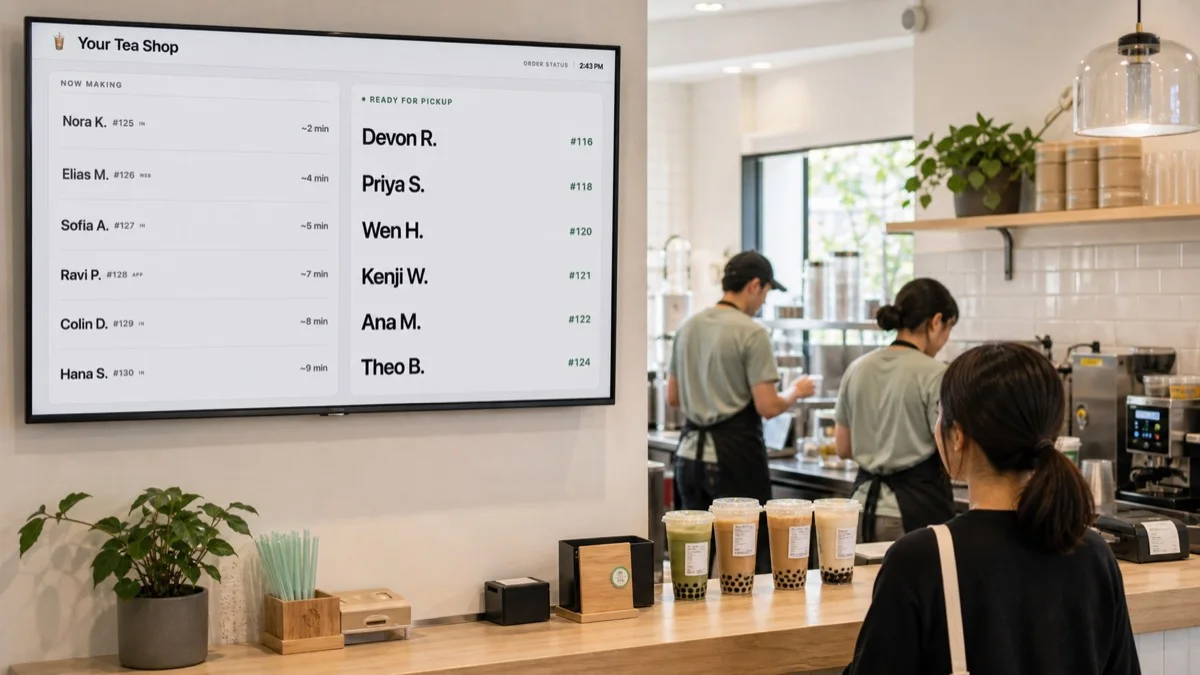
1. Decide what the board is for
Every coffee shop that puts up an order-ready screen is solving one of two problems, and the answer changes where the TV goes.
The crowd problem. Ten people stand at the handoff, each one asking the barista if theirs is ready. The screen belongs where those people can see it from a step back: above or beside the pickup ledge, facing the waiting area.
The mobile-order problem. App orders arrive with nobody standing there, then three people walk in at once looking for a cup with their name on it. The screen belongs near the door or the mobile pickup shelf, and Ready matters more than Making.
Most shops have both. If you have to pick one spot, pick the handoff. That is where the questions happen.
2. Use the TV you have
Any TV with a web browser works. Samsung and LG smart TVs since about 2017 have one built in. If yours doesn't, or you've got an Apple TV or Roku, a Fire TV Stick for around $35 adds a browser to any HDMI port.
Turn off the screensaver and auto-power-off before you mount it; the setup guide has the menu path for each brand. Mount at eye height or slightly above, tilted down a little if it's high. Avoid a window directly opposite.
3. Names, numbers, or both
Coffee shops almost always call names, so show names. First name and last initial is enough to tell two Sams apart without putting anything private on a wall. Add the order number as a small secondary label and you've covered the customer who ordered on the app and doesn't remember which name they used.
Numbers only is right if your receipts already carry a number and your staff don't ask for names. It's more private and slightly less friendly. Either way, pick once and keep it; the board is a habit for customers as much as for staff.
4. Get the orders onto it
On Square: connect once from the dashboard. Every eligible order appears with the name and drink the moment it's rung up. Nobody types anything.
On anything else: the register phone gets one field. Type the name, press Enter, about two seconds. It feels like an extra step for the first hour and then it doesn't, because it replaces writing the name on the cup and shouting it. Clover and Toast connections are coming; until then this is how those shops run it.
5. Train the one tap
The barista's job on the board is one tap: Ready, when the drink is on the ledge. Put the staff page on a phone or old tablet on a stand at the bar, plugged in, home-screen shortcut, auto-lock off. Say two things to the team:
- Tap Ready when you set the cup down, not before.
- If you forget, nothing breaks. The name just stays in Making until someone taps it.
Run it through two busy Saturdays. If the handoff isn't quieter, take the TV down; nothing else in the shop changed.
More guides: Guides · Why customers ask "is mine ready?" · What is an order ready screen?